Event Registration FormBusiness & Finance
Autosave
0% done
100%

Click a blue field to typeHeadings and labels are editable tooEnter next fieldAutosaved · pick up where you left offTurn off “Headers and footers” when printing

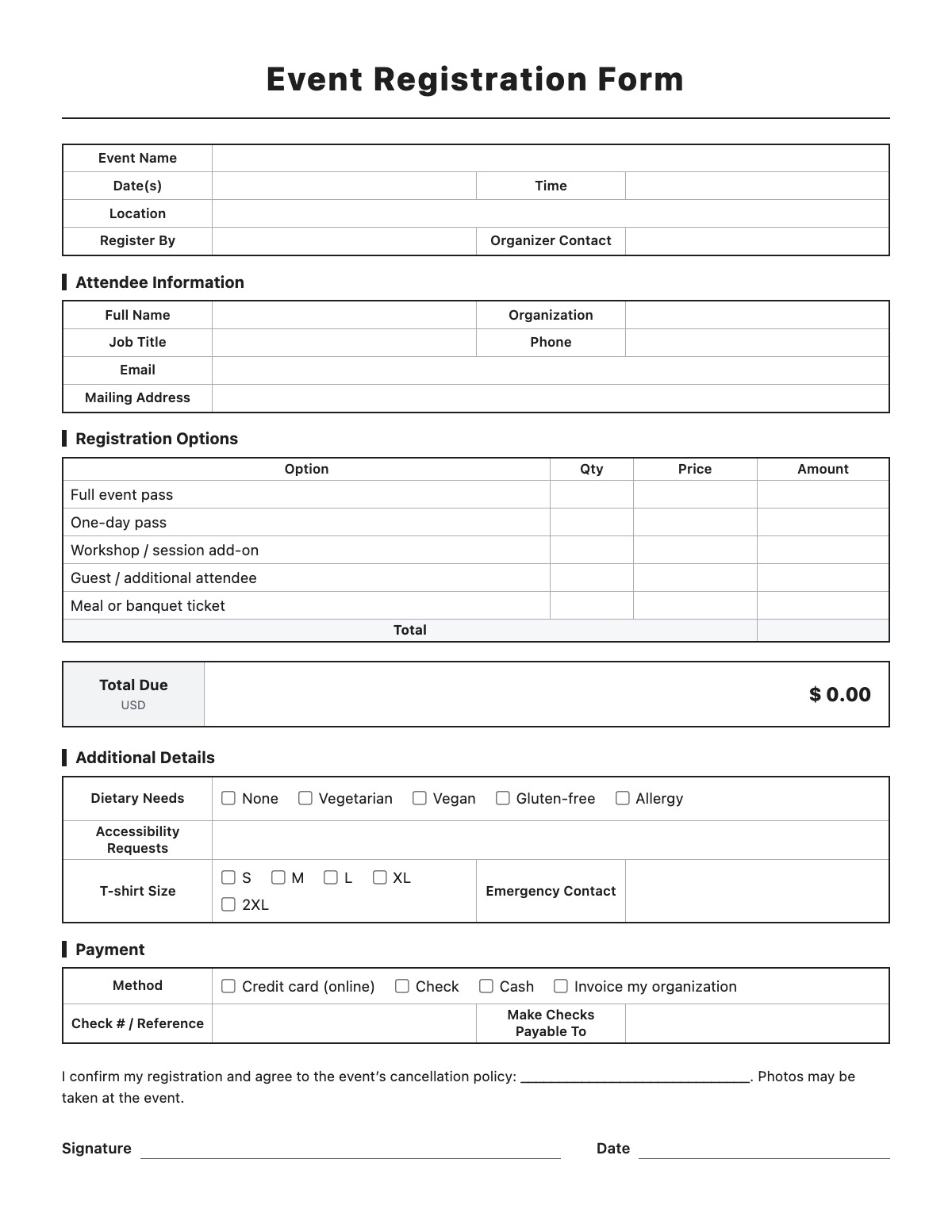
Event Registration Form

Event Name
Date(s)Time
Location
Register ByOrganizer Contact

Attendee Information

Full NameOrganization
Job TitlePhone
Email
Mailing Address

Registration Options

OptionQtyPriceAmount
Total
Total DueUSD
$ 0

Additional Details

Dietary Needs
Accessibility Requests
T-shirt SizeEmergency Contact

Payment

Method
Check # / ReferenceMake Checks Payable To

I confirm my registration and agree to the event’s cancellation policy: ______________________________. Photos may be taken at the event.

Signature
Date
How to fill out an Event Registration Form

Event Registration Form template preview
Free Event Registration Form template

An event registration form collects what you need from each attendee — contact details, which passes or sessions they want, special needs and payment. Quantities and prices add up to the total due automatically.

How to fill it out

  1. Enter the event name, dates, time, location, registration deadline and the organizer's contact.
  2. Rename the registration options and enter your prices — for example, early bird, regular, student or workshop add-on.
  3. Attendees fill in their name, organization, job title, phone, email and mailing address, then enter quantities; the total is calculated automatically.
  4. They add dietary needs, accessibility requests, T-shirt size and an emergency contact if you ask for them.
  5. They choose a payment method, add a check number or reference, and sign to confirm and accept your cancellation policy.

Tips

  • Write your cancellation and refund policy in the blank before you print — attendees agree to it when they sign.
  • Ask only for information you will use. Delete the T-shirt row if there are no shirts.
  • Fill in "Make checks payable to" so payments don't come back with the wrong name.
  • Collect emergency contacts for multi-day, overnight or physical events.
  • Number the forms as they come in so you can match payments to registrations.

Event Registration Form example

Event Name
Small Business Growth Summit 2026
Date(s)
November 12–13, 2026
Time
9:00 a.m. – 5:00 p.m.
Location
Springfield Convention Center, 1 Convention Way
Register By
November 1, 2026
Organizer Contact
[email protected]

Attendee Information

Full Name
Jane Smith
Organization
Acme Supply Co.
Job Title
Operations Director
Phone
(555) 123-4567
Email
[email protected]
Mailing Address
123 Main St, Springfield, IL 62701

Registration Options

Additional Details

Dietary Needs
Vegetarian
T-shirt Size
M
Emergency Contact
David Smith, (555) 234-5678

Payment

Method
Invoice my organization
Check # / Reference
PO-2209

All names, companies and contact details are fictional. Click “Fill sample” above to put this example into the empty fields; click again to remove the parts you did not change.

FAQ

Can I change the ticket options?

Yes. Click an option name to rename it, enter your own prices and add or remove rows.

Is this a liability waiver?

No. The form includes a short photo notice and your cancellation policy, but it is not a waiver. For risky activities, use a separate waiver reviewed by an attorney.

Can attendees fill it out online?

Yes. They can type in the browser and print it or save it as a PDF to email back. Nothing is sent to our server.

Related templates

More Business & Finance templates: Estimate · Purchase Order · Packing Slip · Expense Report · Timesheet · Mileage Log · Work Order · Commercial Invoice · Business Credit Application · Return Authorization Form · Customer Feedback Form · Donation Receipt · Pay Stub · Petty Cash Log · Credit Memo · Statement of Account · Change Order · Statement of Work

↑ Fill out the Event Registration Form