Customer Feedback FormBusiness & Finance
Autosave
0% done
100%

Click a blue field to typeHeadings and labels are editable tooEnter next fieldAutosaved · pick up where you left offTurn off “Headers and footers” when printing

Customer Feedback Form

Business / Location
Visit / Purchase DateOrder # (optional)
Product or Service Used

Your Experience

How would you rate…PoorFairGoodVery GoodExcellentComments

How likely are you to recommend us to a friend? (0 = not at all, 10 = extremely likely)

012345678910

Tell Us More

What did we do well?
What could we improve?
How did you hear about us?
Would you use us again?

Stay in Touch (optional)

NameEmail
PhoneContact me about this feedback

※ Thank you! Your answers are used only to improve our service. Leave contact details blank to stay anonymous.
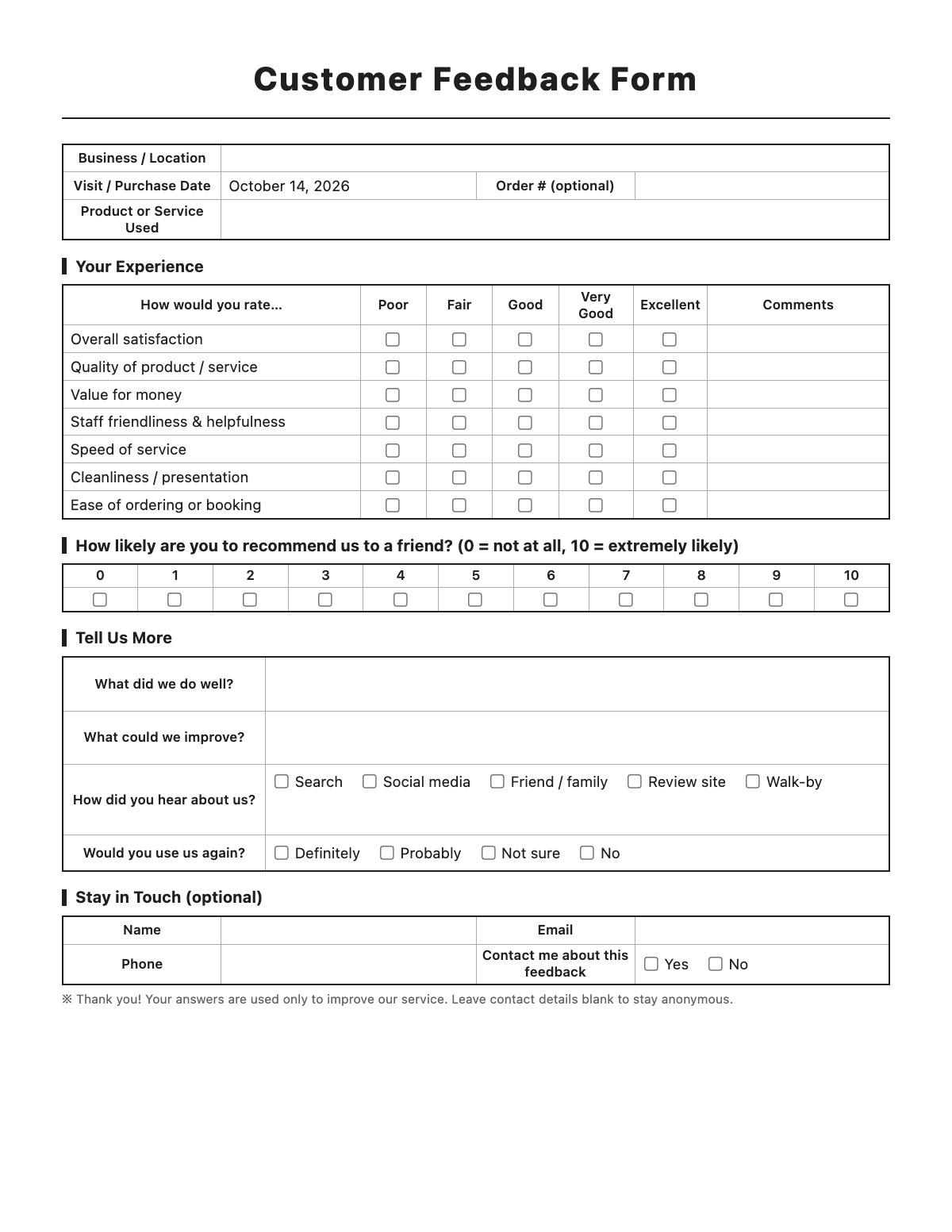
How to fill out a Customer Feedback Form

Customer Feedback Form template preview
Free Customer Feedback Form template

A customer feedback form helps a business learn what customers think. This one-page survey asks for ratings on key parts of the experience, a 0–10 “would you recommend us” score and open comments about what went well and what could be better.

How to fill it out

  1. Enter your business or location name, and edit the rating rows to match what you want to measure — service, speed, cleanliness, value.
  2. Print a stack for the counter or table, or hand one out at checkout or after a service visit.
  3. Customers rate each area from Poor to Excellent and add a short comment.
  4. They pick a 0–10 score for how likely they are to recommend you, answer what you did well and what to improve, and how they heard about you.
  5. Collect the forms each week and tally the results in a spreadsheet, and follow up with anyone who asked to be contacted.

Tips

  • Keep it to one page — short forms get far more replies.
  • Leave a box and pen in a visible spot so people can drop forms in privately.
  • Let people stay anonymous; contact details are optional on this form.
  • Reply within a day or two when someone leaves contact details and a complaint.
  • Track the 0–10 score month to month rather than reading single forms.

Customer Feedback Form example

Business / Location
Maple Street Bakery — Downtown
Order # (optional)
1042
Product or Service Used
Custom birthday cake and coffee

Your Experience

Tell Us More

What did we do well?
The cake looked exactly like the photo and tasted great. Staff helped carry it to the car.
What could we improve?
Make it easier to pick a pickup time when ordering online.
How did you hear about us?
Friend / family
Would you use us again?
Definitely

Stay in Touch (optional)

Name
Jane Smith
Email
[email protected]
Contact me about this feedback
No

All names, companies and contact details are fictional. Click “Fill sample” above to put this example into the empty fields; click again to remove the parts you did not change.

FAQ

How is the 0–10 score used?

People who answer 9–10 are promoters, 7–8 are passives and 0–6 are detractors. Subtract the percentage of detractors from the percentage of promoters to get a net score from −100 to 100.

Should feedback be anonymous?

Make contact details optional. Anonymous forms usually get more honest answers, and people with a problem can still choose to be contacted.

Can I edit the questions?

Yes. Click any question or label and type over it before printing, and add or remove rating rows.

Related templates

More Business & Finance templates: Invoice · Estimate · Purchase Order · Packing Slip · Expense Report · Timesheet · Mileage Log · Work Order · Commercial Invoice · Business Credit Application · Return Authorization Form · Event Registration Form · Donation Receipt · Pay Stub · Petty Cash Log · Credit Memo · Statement of Account · Change Order · Statement of Work

↑ Fill out the Customer Feedback Form