Expense ReportBusiness & Finance
Autosave
0% done
100%

Click a blue field to typeHeadings and labels are editable tooEnter next fieldAutosaved · pick up where you left offTurn off “Headers and footers” when printing

Expense Report

Employee NameEmployee ID
DepartmentManager
PeriodDate Submitted
Business Purpose
DateDescriptionCategoryPaid ByReceiptAmount
Total
Total Expenses
Less: Cash Advance
Amount DueTo employee
$ 0

I certify that these expenses were incurred for business purposes and that receipts are attached.

Employee(Signature)
Approved by(Signature)
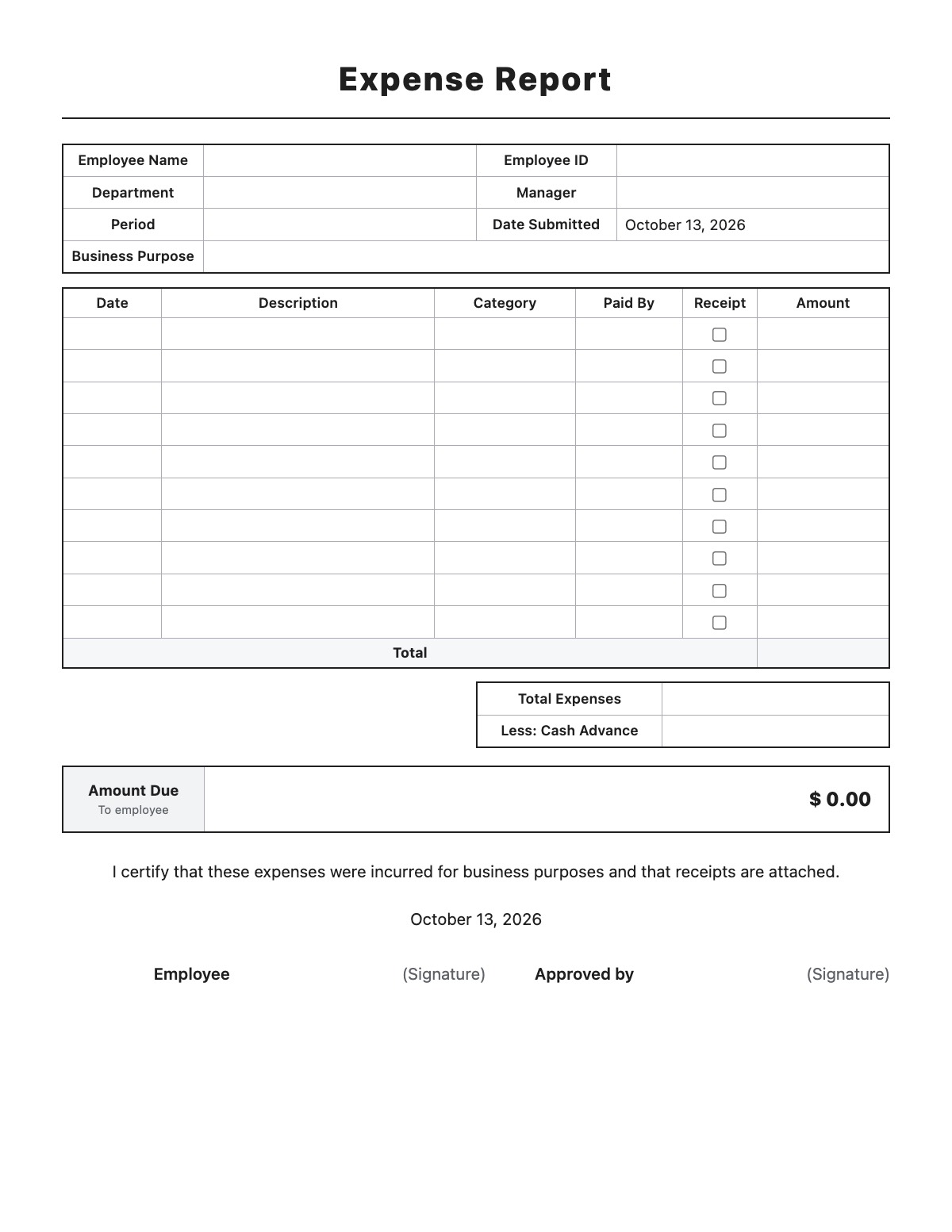
How to fill out an Expense Report

Expense Report template preview
Free Expense Report template

An expense report is a form an employee uses to list business expenses they paid personally so they can be reimbursed. It records the date, purpose, category and amount of each expense, subtracts any cash advance, and is signed by the employee and an approving manager.

How to fill it out

  1. Enter your name, employee ID, department, manager and the period the report covers.
  2. Describe the business purpose, such as a client visit or conference.
  3. List each expense with its date, description, category and how it was paid, and check the box when a receipt is attached.
  4. Enter any cash advance you received — the total and the amount due to you are calculated automatically.
  5. Sign the certification, attach your receipts and give the report to your manager for approval.

Tips

  • Submit reports promptly; many employer plans require expenses to be substantiated within a reasonable time (often 60 days) for reimbursements to stay tax-free.
  • Write who attended and the business purpose for meals and entertainment.
  • Keep itemized receipts, not just card slips — they show what was actually bought.
  • Do not include personal costs such as in-room movies or a spouse's travel.

Expense Report example

Employee Name
Jane Smith
Employee ID
E-1047
Department
Sales
Manager
David Lee
Period
10/05/2026 – 10/08/2026
Business Purpose
Midwest Retail Expo, Chicago — client meetings and booth staffing
Less: Cash Advance
200.00

All names, companies and contact details are fictional. Click “Fill sample” above to put this example into the empty fields; click again to remove the parts you did not change.

FAQ

What receipts do I need for an expense report?

Follow your employer's policy. Many companies require receipts for every expense, and for lodging an itemized hotel bill. The IRS generally expects documentation for lodging and for other expenses of $75 or more.

Is expense reimbursement taxable income?

Under an employer's accountable plan, properly substantiated reimbursements are generally not taxable wages. Reimbursements without proper records may be treated as taxable pay.

How do I record mileage on an expense report?

Use a separate mileage log to record each trip and calculate the reimbursement, then add the total as one line on the expense report.

Related templates

More Business & Finance templates: Estimate · Purchase Order · Packing Slip · Work Order · Commercial Invoice · Business Credit Application · Return Authorization Form · Customer Feedback Form · Event Registration Form · Donation Receipt · Pay Stub · Petty Cash Log · Credit Memo · Statement of Account · Change Order · Statement of Work

↑ Fill out the Expense Report