Pay StubBusiness & Finance
Autosave
0% done
100%

Click a blue field to typeHeadings and labels are editable tooEnter next fieldAutosaved · pick up where you left offTurn off “Headers and footers” when printing

Pay Stub

Employer
Employer EIN
Employee
Employee ID
SSN (last 4)
Pay Period StartPay Period EndPay Date
Check / Advice #Pay FrequencyPayment Method

Earnings

DescriptionHoursRateCurrentYear to Date
Total

Deductions & Taxes

DescriptionCurrentYTD
Total

Summary

Gross Pay
Total Deductions
Net Pay
$ 0
Notes

※ For a salaried line, enter 1 in Hours and the period salary in Rate. This template does not calculate withholding and is not tax advice — figure taxes with IRS Publication 15-T and your state’s rules, or a payroll service. Some states require specific pay stub information.
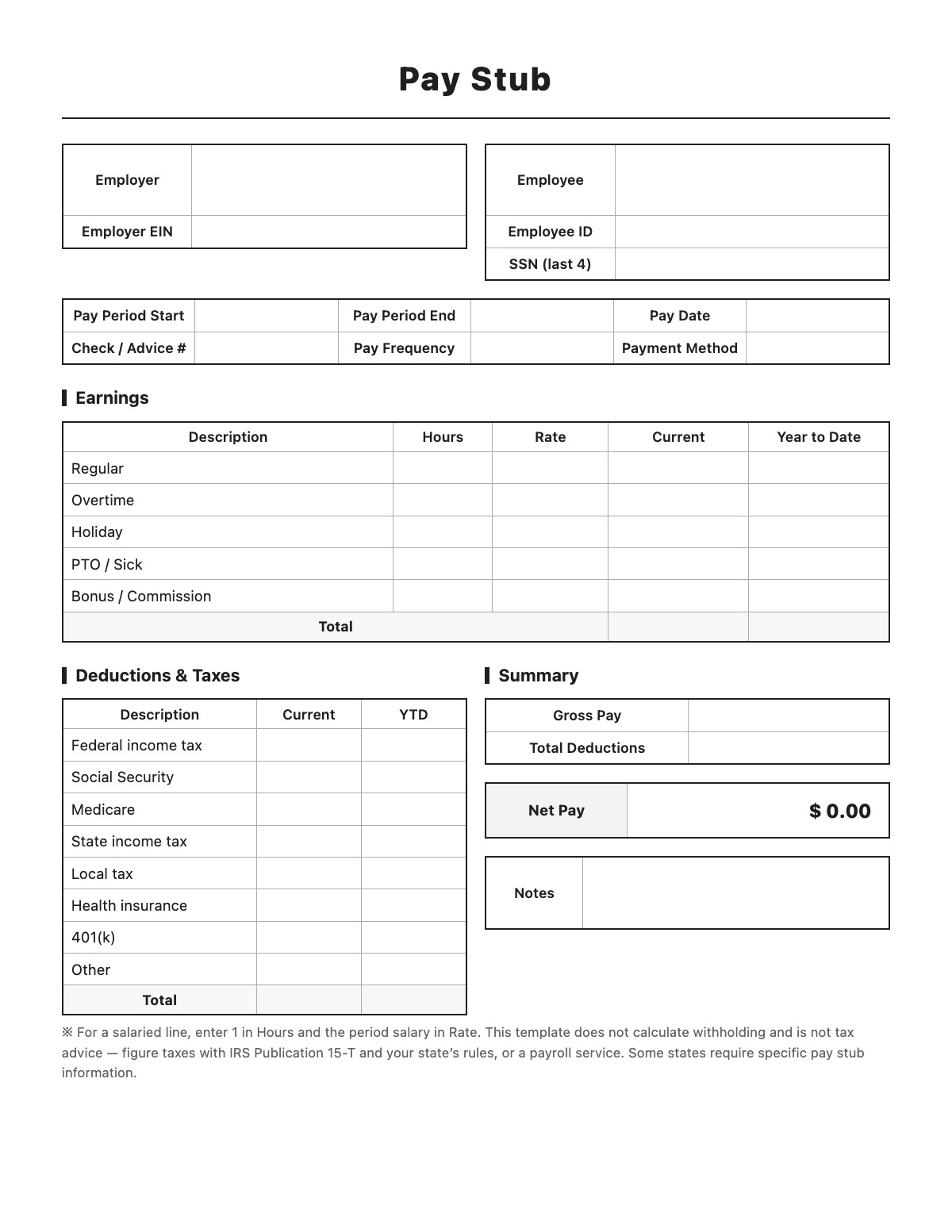
How to fill out a Pay Stub

Pay Stub template preview
Free Pay Stub template

A pay stub (earnings statement) shows an employee how their pay was calculated for a pay period: hours and rates, gross pay, each tax and deduction, year-to-date totals and the net amount paid.

How to fill it out

  1. Enter the employer and employee details and the pay period, pay date and check or advice number.
  2. Enter hours and rate for each earnings line — current pay calculates automatically.
  3. Enter each tax and deduction for the period and year to date.
  4. Gross pay, total deductions and net pay are calculated for you.
  5. Print it, save it as PDF, or export it to Excel with formulas.

Tips

  • For salary, enter 1 hour and the period salary as the rate.
  • Use real payroll figures — withholding must follow IRS Publication 15-T and state rules.
  • Some states require specific items on pay stubs, such as hours worked and rates.
  • Never create pay stubs with false figures — that can be fraud.

Pay Stub example

Employer
Acme Supply Co.
123 Main St
Springfield, IL 62701
Employer EIN
12-3456789
Employee
Jane Smith
123 Main St, Apt 2B
Springfield, IL 62701
Employee ID
E-1015
SSN (last 4)
XXX-XX-4821
Pay Period Start
09/27/2026
Pay Period End
10/10/2026
Pay Date
10/16/2026
Check / Advice #
DD-20461
Pay Frequency
Biweekly
Payment Method
Direct deposit

Summary

Notes
PTO balance: 62 hours.

Earnings

Deductions & Taxes

All names, companies and contact details are fictional. Click “Fill sample” above to put this example into the empty fields; click again to remove the parts you did not change.

FAQ

Does this template calculate taxes?

No. Enter tax amounts from your payroll records; the template adds up the totals and net pay. It is not tax advice.

Can I download it as Excel?

Yes. The Excel file keeps live formulas for earnings, totals and net pay.

What is YTD on a pay stub?

Year to date — the total earned or withheld from January 1 through this pay date.

Related templates

More Business & Finance templates: Receipt · Estimate · Purchase Order · Packing Slip · Mileage Log · Work Order · Commercial Invoice · Business Credit Application · Return Authorization Form · Customer Feedback Form · Event Registration Form · Donation Receipt · Petty Cash Log · Credit Memo · Statement of Account · Change Order · Statement of Work

↑ Fill out the Pay Stub