Statement of AccountBusiness & Finance
Autosave
0% done
100%

Click a blue field to typeHeadings and labels are editable tooEnter next fieldAutosaved · pick up where you left offTurn off “Headers and footers” when printing

Statement of Account

From
Customer
Statement Date
Account #
Statement Period
Payment Terms
Previous Balance

Account Activity

DateTypeReference #DescriptionChargesPayments / CreditsBalance
Total

Aging Summary

Current1–30 Days31–60 Days61–90 DaysOver 90 Days
Amount DuePrevious balance + charges − payments
$ 0

Remittance

Make Checks Payable To
Other Ways to Pay

How to fill out a Statement of Account

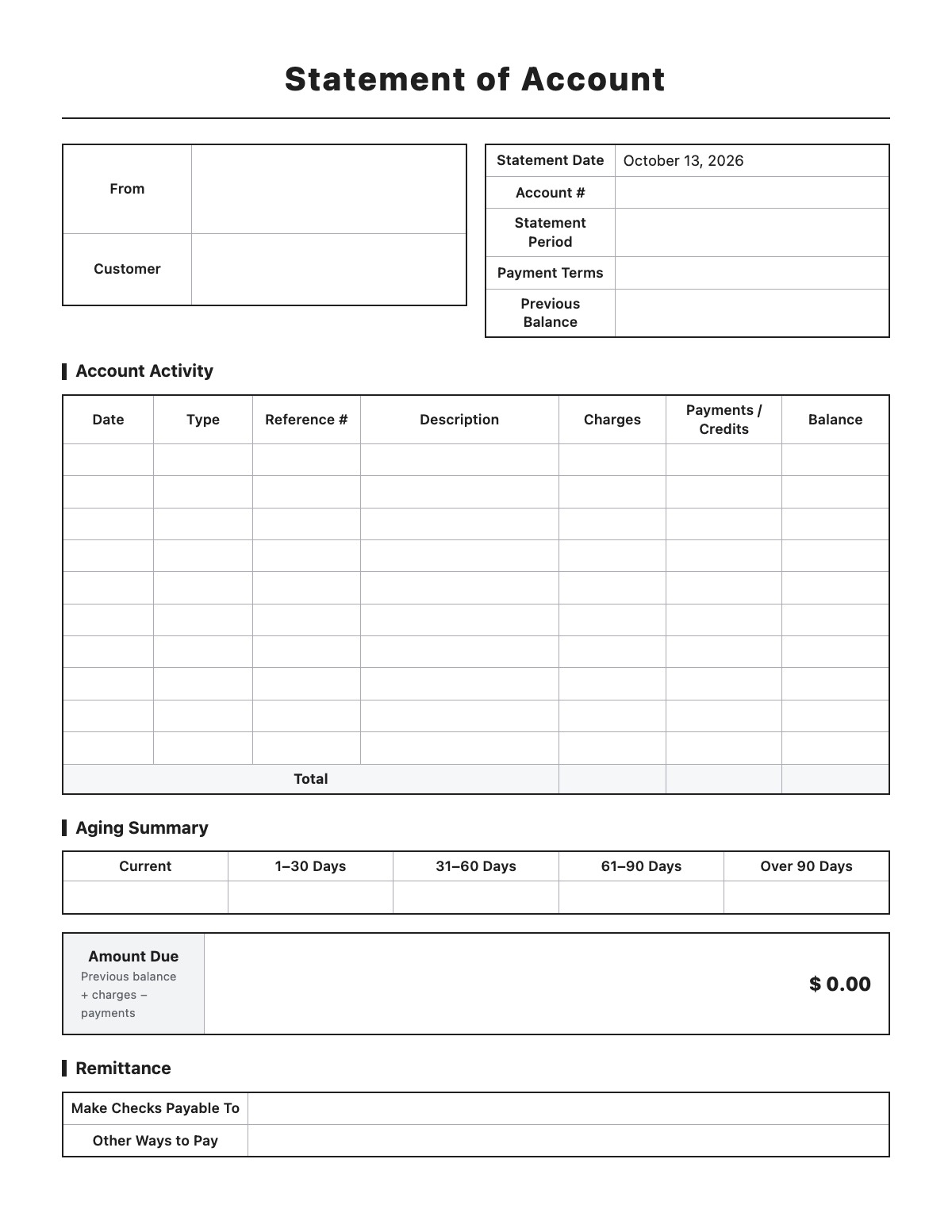
Statement of Account template preview
Free Statement of Account template

A statement of account (customer statement) summarizes a customer’s activity over a period: the previous balance, new invoices, payments and credits, and the balance due. It helps customers reconcile their records and pay what is outstanding.

How to fill it out

  1. Enter your business details, the customer, account number, period and payment terms.
  2. Enter the previous balance.
  3. List each invoice, payment and credit in date order — the balance updates automatically.
  4. Fill in the aging summary (current, 1–30, 31–60, 61–90, over 90 days).
  5. Add remittance instructions and send the statement.

Tips

  • Send statements monthly to customers on credit terms.
  • Match reference numbers to your invoices and credit memos.
  • Follow up on balances over 30 days past due.
  • Export to Excel to keep the running-balance formulas.

Statement of Account example

From
Acme Supply Co.
123 Main St
Springfield, IL 62701
(555) 123-4567 · acmesupply.example.com
Customer
Springfield Dental Group
900 Park Ave
Springfield, IL 62702
Account #
C-2045
Statement Period
09/01/2026 – 09/30/2026
Payment Terms
Net 30
Previous Balance
1250.00

Account Activity

Aging Summary

Remittance

Make Checks Payable To
Acme Supply Co., 123 Main St, Springfield, IL 62701
Other Ways to Pay
ACH: First Springfield Bank — call (555) 123-4567 for details

All names, companies and contact details are fictional. Click “Fill sample” above to put this example into the empty fields; click again to remove the parts you did not change.

FAQ

What is the difference between an invoice and a statement?

An invoice bills for a specific sale; a statement summarizes all invoices and payments over a period.

What is an aging summary?

It groups the unpaid balance by how long it has been due, so overdue amounts stand out.

Can I keep this in Excel?

Yes. The Excel download includes the balance formulas.

Related templates

More Business & Finance templates: Estimate · Purchase Order · Packing Slip · Expense Report · Timesheet · Mileage Log · Work Order · Commercial Invoice · Business Credit Application · Return Authorization Form · Customer Feedback Form · Event Registration Form · Donation Receipt · Pay Stub · Petty Cash Log · Change Order · Statement of Work

↑ Fill out the Statement of Account