Monthly BudgetHome & Personal
Autosave
0% done
100%

Click a blue field to typeHeadings and labels are editable tooEnter next fieldAutosaved · pick up where you left offTurn off “Headers and footers” when printing

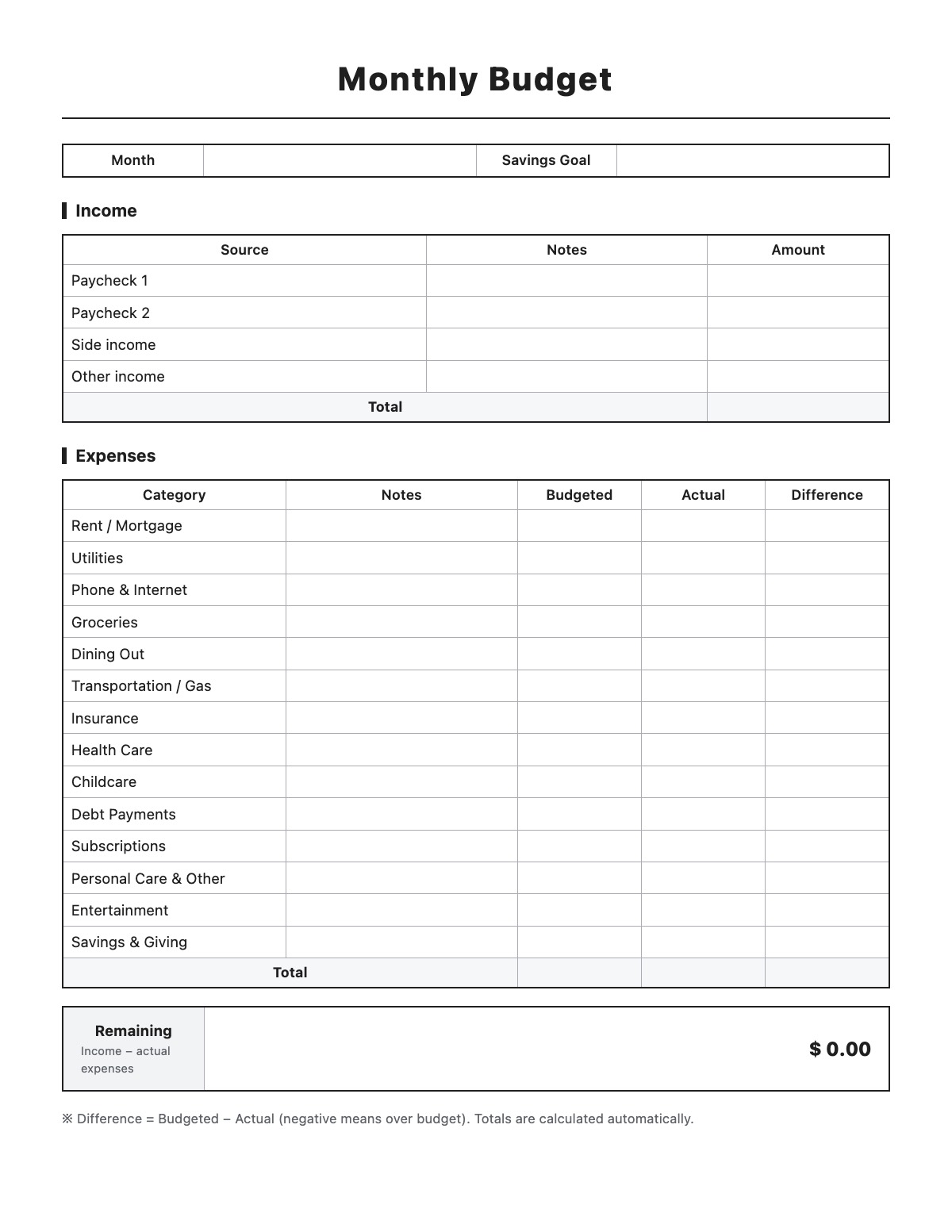
Monthly Budget

MonthSavings Goal

Income

SourceNotesAmount
Total

Expenses

CategoryNotesBudgetedActualDifference
Total
RemainingIncome − actual expenses
$ 0

※ Difference = Budgeted − Actual (negative means over budget). Totals are calculated automatically.
How to fill out a Monthly Budget

Monthly Budget template preview
Free Monthly Budget template

A monthly budget is a plan that lists the money you expect to earn and spend in a month so you can see what is left over. This worksheet compares what you budgeted for each category with what you actually spent and totals everything automatically.

How to fill it out

  1. Enter the month and your savings goal.
  2. List each source of take-home income — paychecks, side income and anything else.
  3. For each expense category, write a budgeted amount at the start of the month.
  4. As the month goes on, enter what you actually spent; the difference column shows where you are over or under.
  5. Check the Remaining total at the bottom to see how much is left after actual expenses.
  6. Rename categories or add rows to fit your own spending.

Tips

  • Budget with take-home pay (after taxes and deductions), not gross salary.
  • Treat savings as a bill and “pay” it first each month.
  • Plan for irregular costs like car registration, gifts or annual subscriptions by setting aside a little each month.
  • Review last month’s actual numbers before setting next month’s budget.

Monthly Budget example

Month
October 2026
Savings Goal
$400 (emergency fund)

Income

Expenses

All names, companies and contact details are fictional. Click “Fill sample” above to put this example into the empty fields; click again to remove the parts you did not change.

FAQ

What is the 50/30/20 rule?

It is a simple guideline that puts about 50% of take-home pay toward needs, 30% toward wants and 20% toward savings and debt payments. Adjust it to fit your situation.

How is the Difference column calculated?

Difference = Budgeted − Actual. A positive number means you spent less than planned; a negative number means you went over.

Is my budget saved anywhere?

What you type is saved only in your own browser so you can come back to it. It is never sent to our server.

Related templates

More Home & Personal templates: Room Rental Agreement · Lease Termination Letter · Landlord Reference Letter · Roommate Agreement · Sublease Agreement · Pet Addendum to Lease · Babysitting Contract · Field Trip Permission Slip · Medical Consent Form for Minor · Rental Application · Move-In / Move-Out Inspection Checklist · Late Rent Notice · Rent Increase Notice · Notice to Vacate

↑ Fill out the Monthly Budget